
Implementing Etiometry in your ICU
Etiometry takes a collaborative approach to implementation, ensuring both technical integration and clinical readiness for a successful launch. Our platform integrates with your hospital’s existing devices, EHR, and IT infrastructure, minimizing disruption to existing workflows. Our team provides dedicated support throughout implementation and beyond, helping drive successful adoption and long-term value.
Book a Demo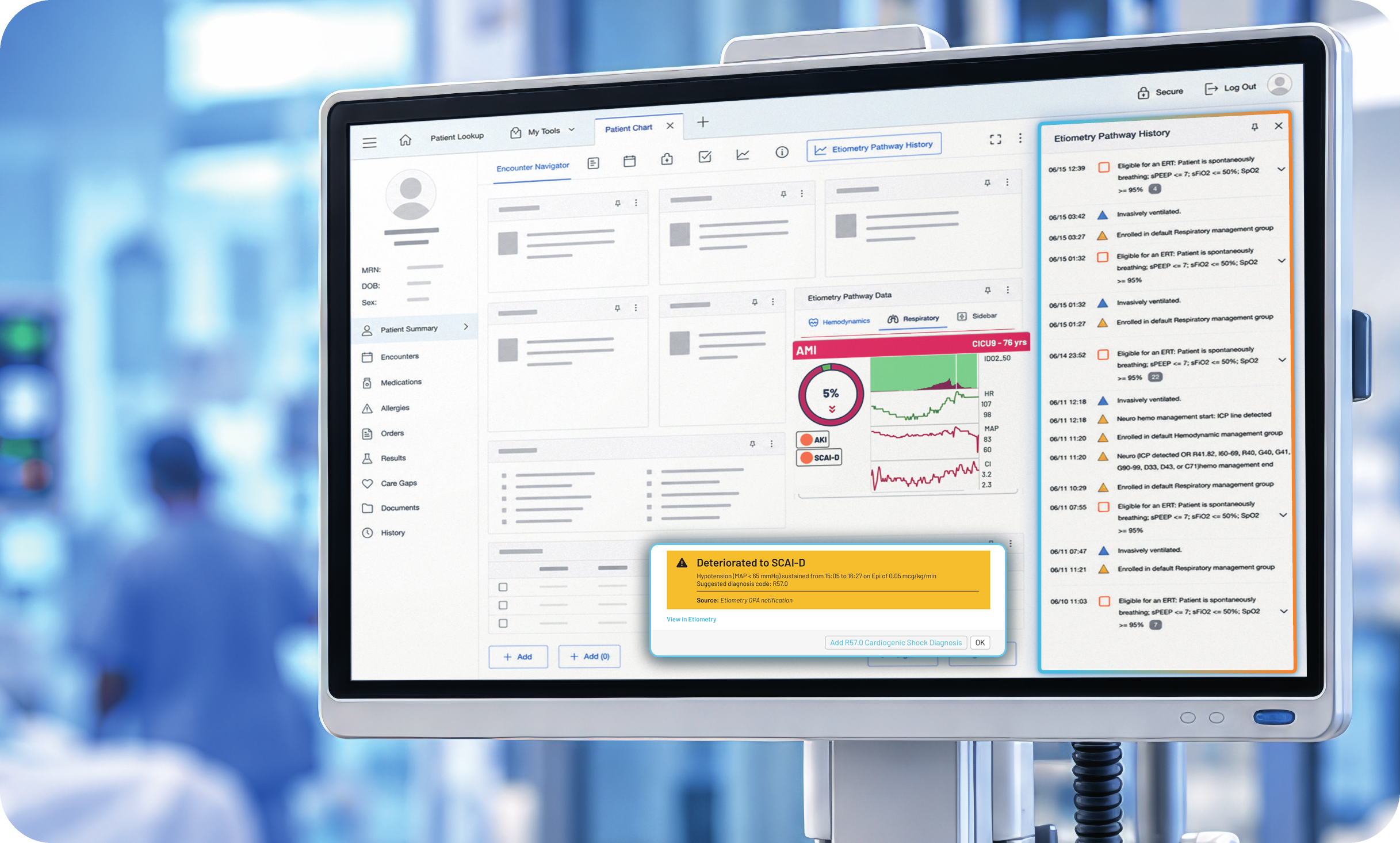
How is an ICU decision support tool like Etiometry implemented?
A Streamlined, Three-Phase Approach: Our implementation process includes project kick-off and coordinated technical and clinical workstreams, go-live preparation focused on system access and clinical education, and ongoing support to drive adoption and long-term success. Designed to minimize the burden on your team, our implementation approach is flexible and can be tailored to your hospital’s workflows, priorities, and operational needs.
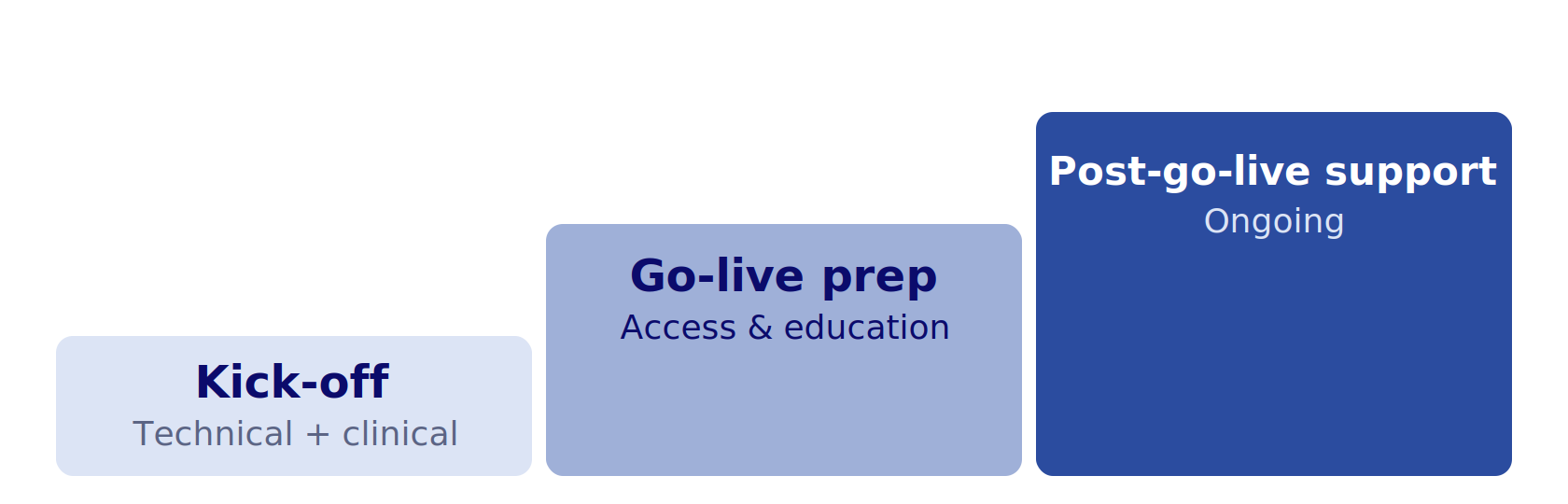
Phase
1
Project kick-off + workstreams
Technical workstream
Technical
- Build out servers and install software
- Set up data feeds and EHR FHIR API
- Set up user access and single sign-on
Clinical workstream
Clinical
- Meet with clinical stakeholders
- Analyze workflows and use cases
- Determine equipment needs and plan education
2
Go-live prep
Equipment and access
- Add desktop icons and EHR links
- Configure in-room, unit-wide and remote displays (optional)
Education
- Super user and unit end-user training
- Help desk training
- Plan access and training for new users
3
Post go-live
Technical support
- Application and functionality updates
- Additional device integrations
- Expansion to new units
Clinical support
- User adoption and process improvement
- Data analytics
- Continuous education
Technical implementation,
step by step
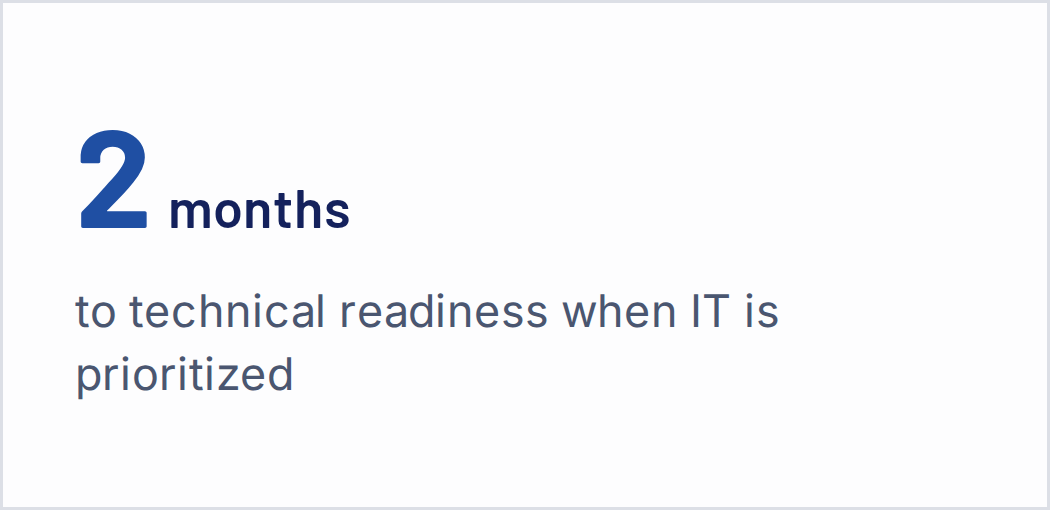
When these steps are complete, the system reaches technical readiness and clinical rollout can proceed.



1

Hospital builds virtual server environment
OS licenses provided by Etiometry; set up vendor remote access
2

Etiometry installs software
Etiometry supplies CSR files; hospital generates SSL certs
3
LDAP / AD integration
Set up AD groups; set up service account for Etiometry
4
Integrations and data feeds established
ADT, labs, bedside monitor and device integrations; med admin and I/O via EHR FHIR interface; waveforms
5
Application access
Workflow and use case analysis; configure displays (optional); add EHR, SSO links and desktop icons
6
User management
Identify users and add them to access groups; establish onboarding process for new users
7

Technical readiness
Validate application readiness; super user training; train IT application support
8

Clinical go-live
Unit-wide end-user training
9
Ongoing Support
Recurring maintenance and app updates; ongoing clinical meetings for adoption and training
Device, EHR and single sign-on integration
Etiometry connects to the devices, EHR and identity systems you already run, using standards-based HL7 and FHIR through existing gateways, so most hospitals avoid custom interfaces for each manufacturer.
Bedside devices
Vendor-neutral connection to monitors, ventilators, ECMO, VADs, CRRT and hemodynamic monitors through monitoring and MDI gateways such as Capsule, Bedcomm and IBUS.
EHR
ADT and labs via HL7. For Epic and Oracle Health, a FHIR application adds medications, procedures and I/O. Meditech connects via HL7.
Identity and access
Access runs through your Active Directory, with AD groups controlling permissions and SMART on FHIR single sign-on from the EHR where supported. ISO 27001 and SOC 2 Type II.
What training and change management support does Etiometry provide?
Role-based training before go-live, and ongoing clinical support after it. Etiometry’s clinical team works with your stakeholders from kick-off so the platform fits how your teams already round, hand off and escalate.
Before go-live
- Workflow and use case analysis
- Education planned by role and unit
- Pathways configured to hospital-defined criteria
At go-live
- Super user training to build unit champions
- Unit-wide end-user training
- Help desk and IT support training
After go-live
- Ongoing clinical meetings for adoption
- Reports on pathway adoption and adherence
- Continuous education for new and existing staff
Common implementation pitfalls, and how Etiometry avoids them
Treating it as an IT-only project
A clinical workstream runs alongside the technical one from kick-off.
Another login, another screen
Single sign-on, EHR widget, desktop icons on existing workstations and optional bedside displays.
Underestimating device integration
Vendor-neutral ingestion through existing gateways, with manufacturer differences handled at the integration layer.
Criteria nobody owns
Pathways and informational flags are configured to hospital-defined criteria with your clinical leaders.
Training that ends at go-live
Super users on every unit, a new-user onboarding process and adoption reporting after launch.
Security review delays
Hospital-hosted servers, access through your own Active Directory, and ISO 27001 and SOC 2 Type II documentation.
FAQs
Common pitfalls include treating implementation as IT-only, adding a separate login outside clinical workflow, underestimating device integration and ending training at go-live. Etiometry addresses these with parallel technical and clinical workstreams, single sign-on and EHR launch, vendor-neutral device integration and ongoing post-go-live clinical support.
Etiometry provides super user, unit end-user and help desk training before go-live, plus a defined process for onboarding new users. After launch, ongoing clinical meetings, process improvement support and continuous education keep adoption on track.
Etiometry includes training and change management as a core part of every implementation, starting with a clinical workstream at kick-off and continuing with adoption, process improvement and data analytics support after go-live.
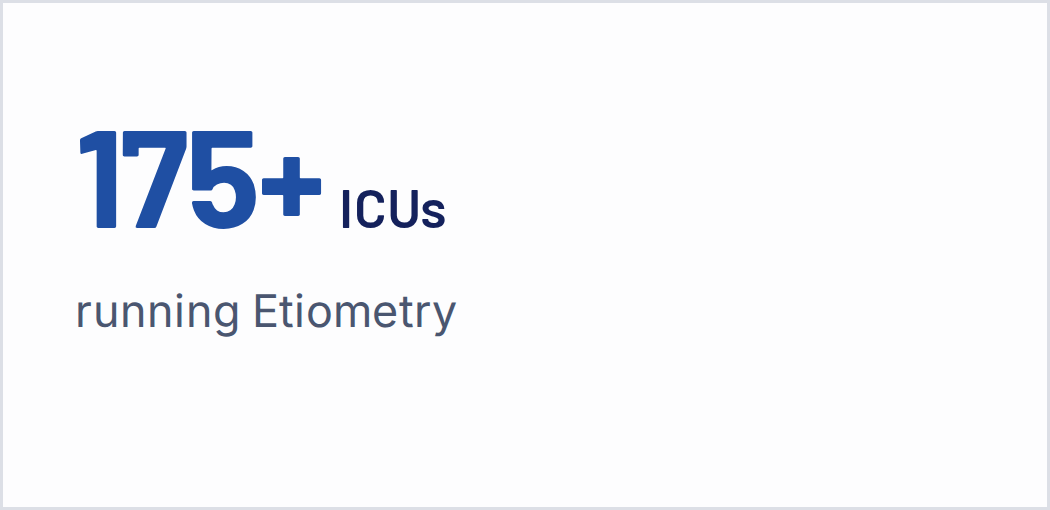
Yes. Etiometry runs in 175+ ICUs as a single platform across ICU, CICU, PICU, NICU and step-down units, with the same integrations and reporting in every unit. Expansion to new units is part of standard post-go-live support.
Etiometry integrates with the hospital’s Active Directory via LDAP, using AD groups for role- and location-based access. Clinicians can launch Etiometry from the EHR through SMART on FHIR single sign-on where supported.
Etiometry is vendor-neutral and connects through existing monitoring gateways and MDI platforms such as Capsule, Bedcomm and IBUS using HL7 and FHIR, covering monitors from GE HealthCare, Philips, Dräger, Mindray, Nihon Kohden and Spacelabs as well as ventilators and support devices.
Etiometry isn’t a charting system and doesn’t replace EHR documentation. It reduces duplicated effort by bringing monitor, device, lab, medication and EHR data into one view, so clinicians don’t have to compile values from several systems for rounds and handoffs.
TCO typically includes licensing, servers, IT and interface work, hardware, training and ongoing support. Etiometry keeps non-license costs low: it runs on hospital virtual servers with OS licenses provided, uses existing interfaces, needs no proprietary hardware and averages 3–4 months to implement. Contact us for an estimate.